Fixing issues
Fix hard-to-read text
Pick a text color that passes contrast, starting from the nearest passing shade of your own.
Why contrast matters
Text that is close in color to its background is hard to read, especially for people with low vision. WCAG asks for a contrast ratio of at least 4.5:1 for normal text and 3:1 for large text.
Choose the color
Open a This text is hard to read against its background issue. The panel shows the text's colors and ratio today, and the nearest shade of your text color that passes.
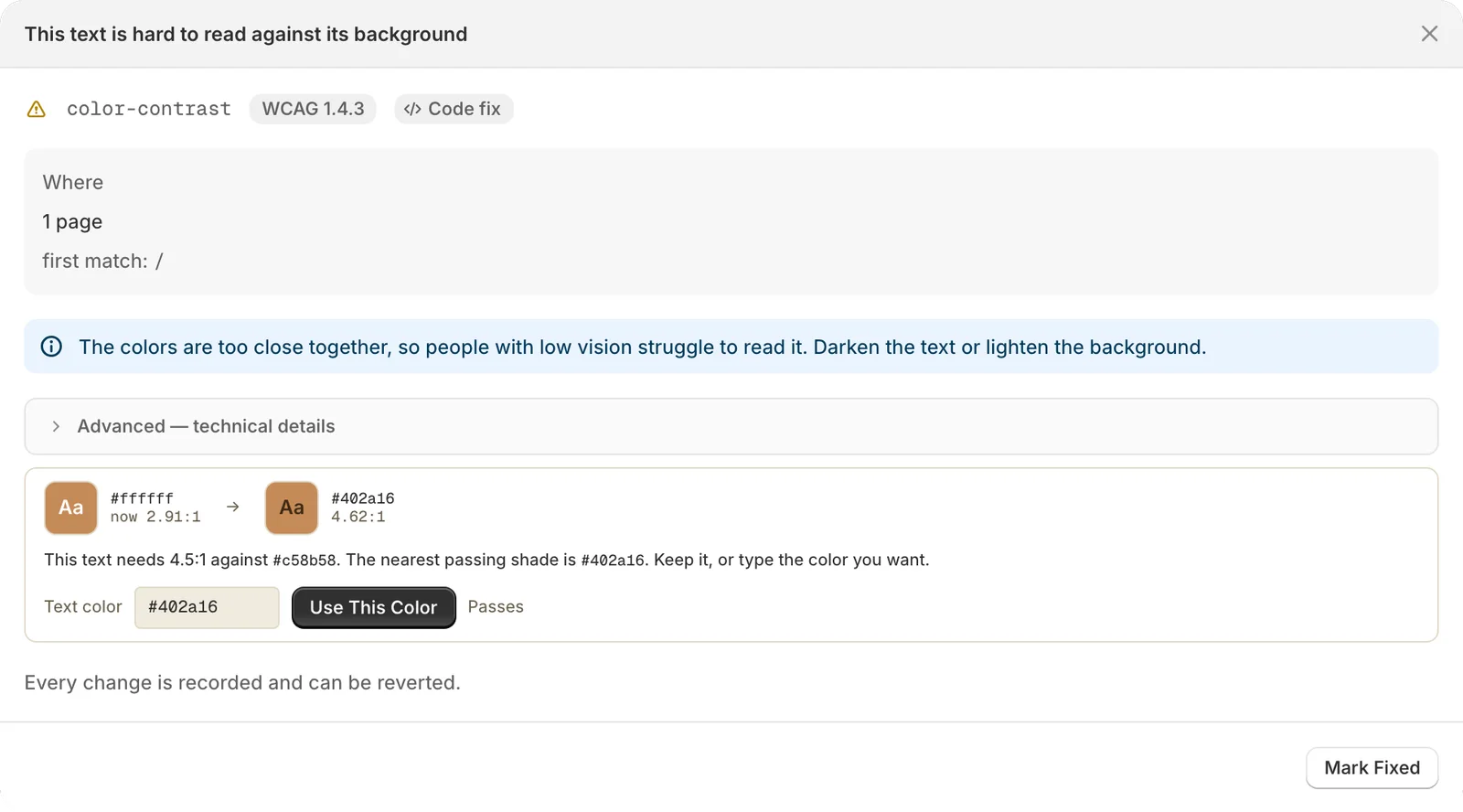
- Keep the suggested shade, or type another in Text color. The panel checks each color as you type.
- Click Use This Color. It works once the color passes.
- SiteRemora drafts the code change for your color. Review it and click Apply Fix.
If one style sets the colors for many elements, the change goes there, and every use updates together. Otherwise the color is set on the element itself.
Note
Contrast changes always start with a color you choose. Autopilot leaves your colors alone.
When colors come from theme settings
Some themes set colors in the theme editor. When the panel can't read the exact colors, it points you there: open the theme editor and look under Theme settings > Colors.